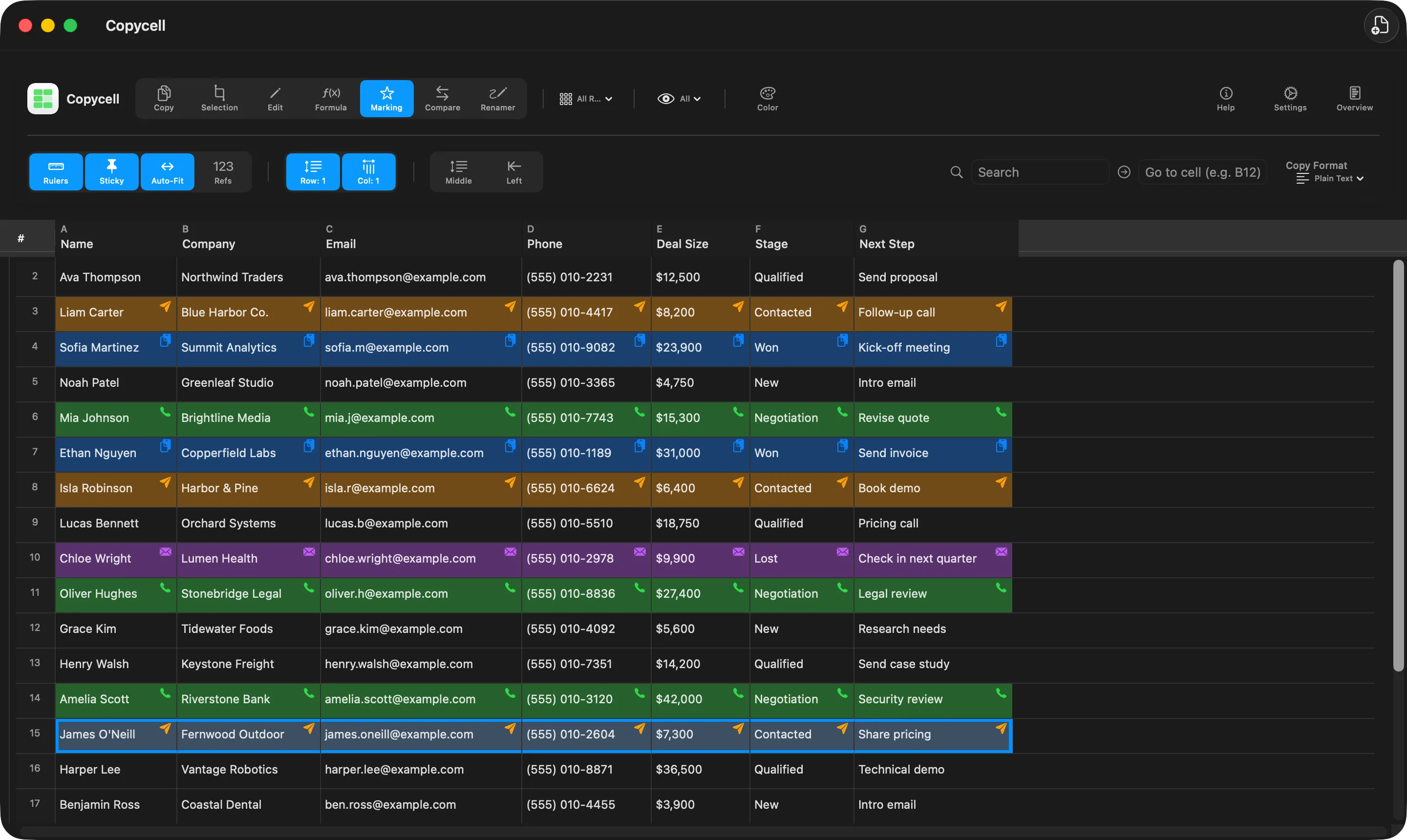
Marks
Know what’s done at a glance.
Colour-code rows as Called, Emailed or Done. Pick your own names, icons and colours, then hide everything you’ve finished so only the work that’s left is on screen.
Copycell turns any spreadsheet into a checklist you can copy from. Click a cell and it's on your clipboard, ready to paste into a form, an email or another app.
 Coming soon
 Requires macOS 15.7 or later
Try it here
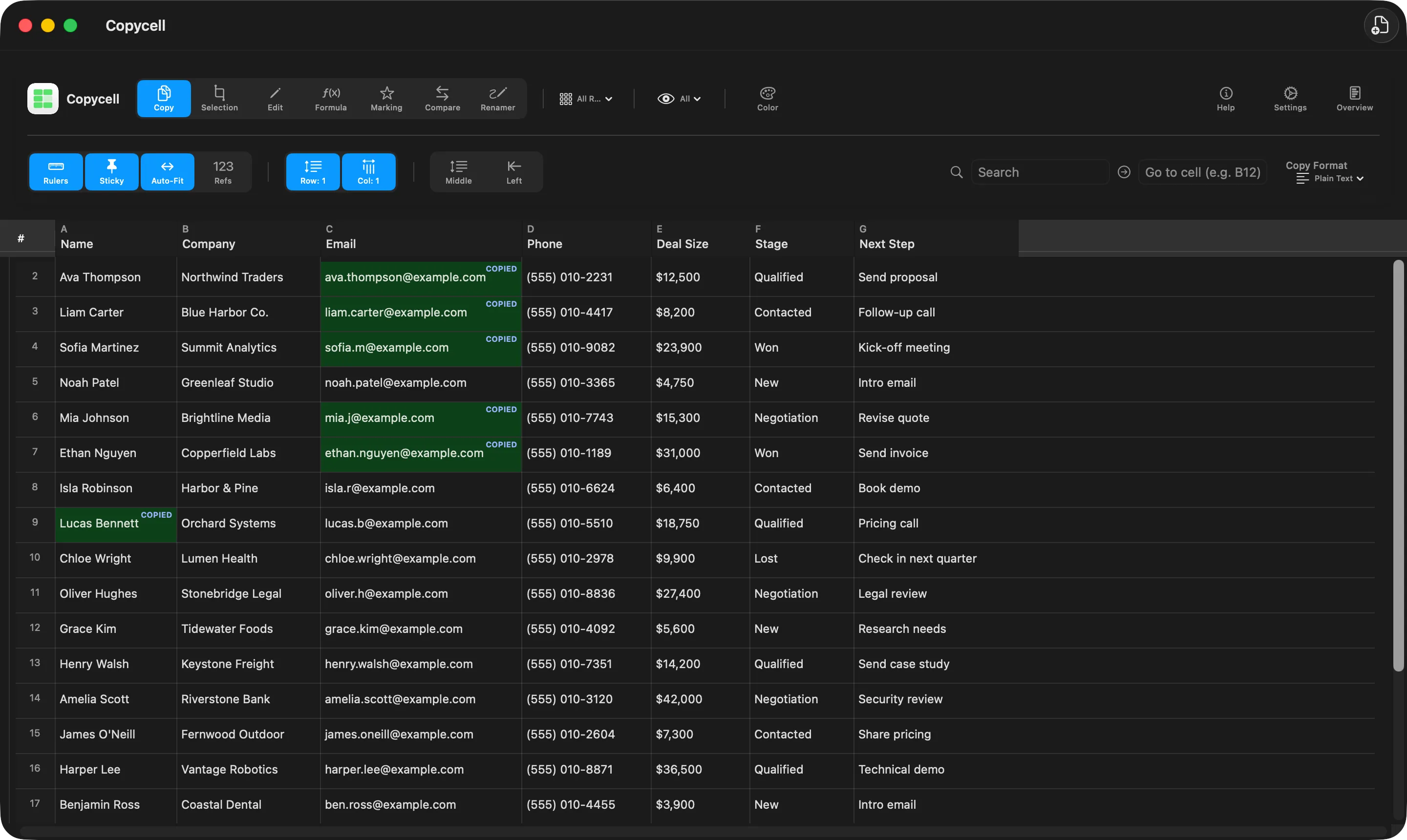
This is the whole idea. Click anything in the sheet below and it's copied, ready to paste. Copied cells stay green, so you never lose your place.
| Row | A Name | B Company | C Email | D Phone |
|---|---|---|---|---|
| 2 | ||||
| 3 | ||||
| 4 | ||||
| 5 | ||||
| 6 | ||||
| 7 |
Everything in one window
Marks
Colour-code rows as Called, Emailed or Done. Pick your own names, icons and colours, then hide everything you’ve finished so only the work that’s left is on screen.
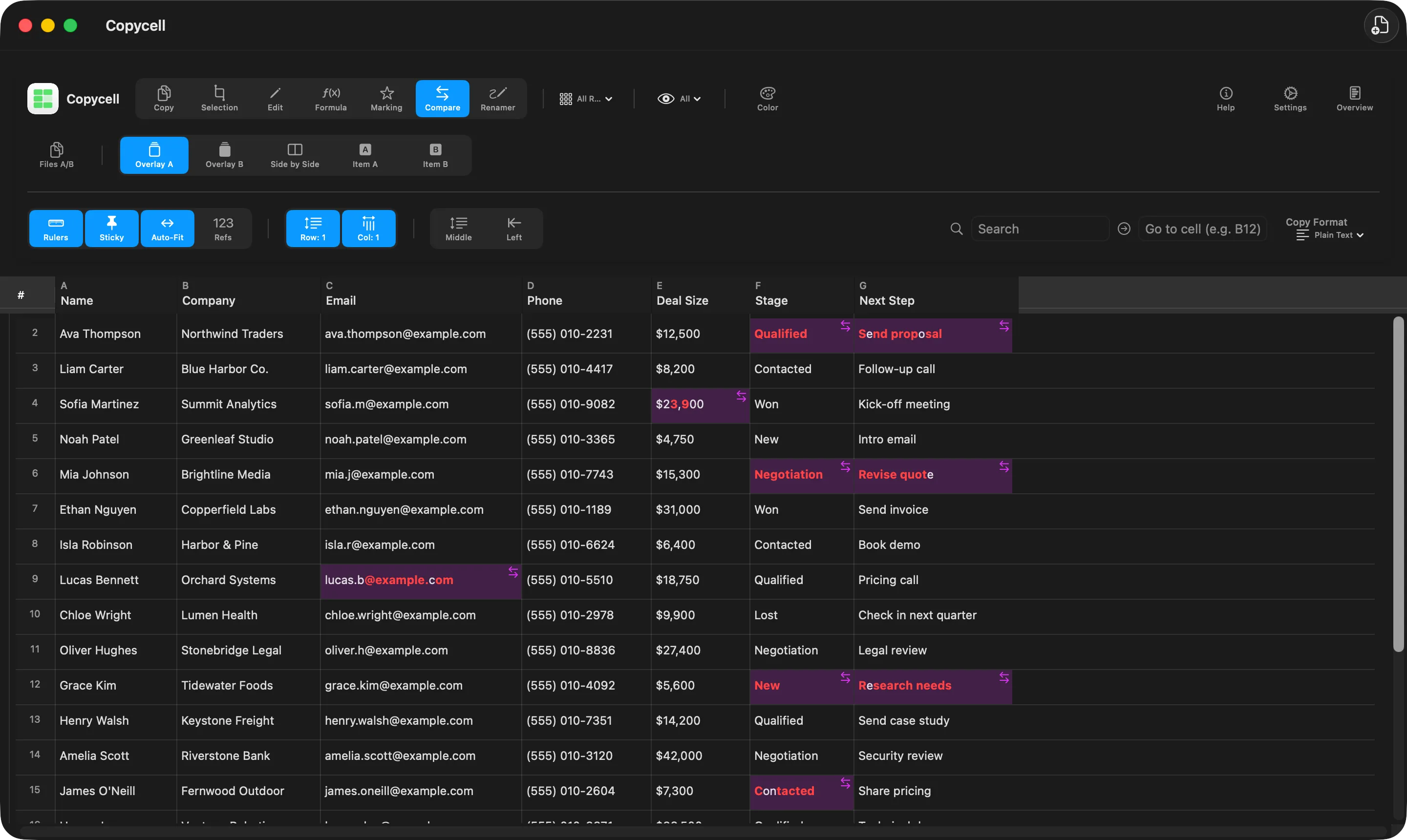
Compare
Open two versions of a spreadsheet and Copycell highlights exactly what changed, down to the letter. See them layered together or side by side.
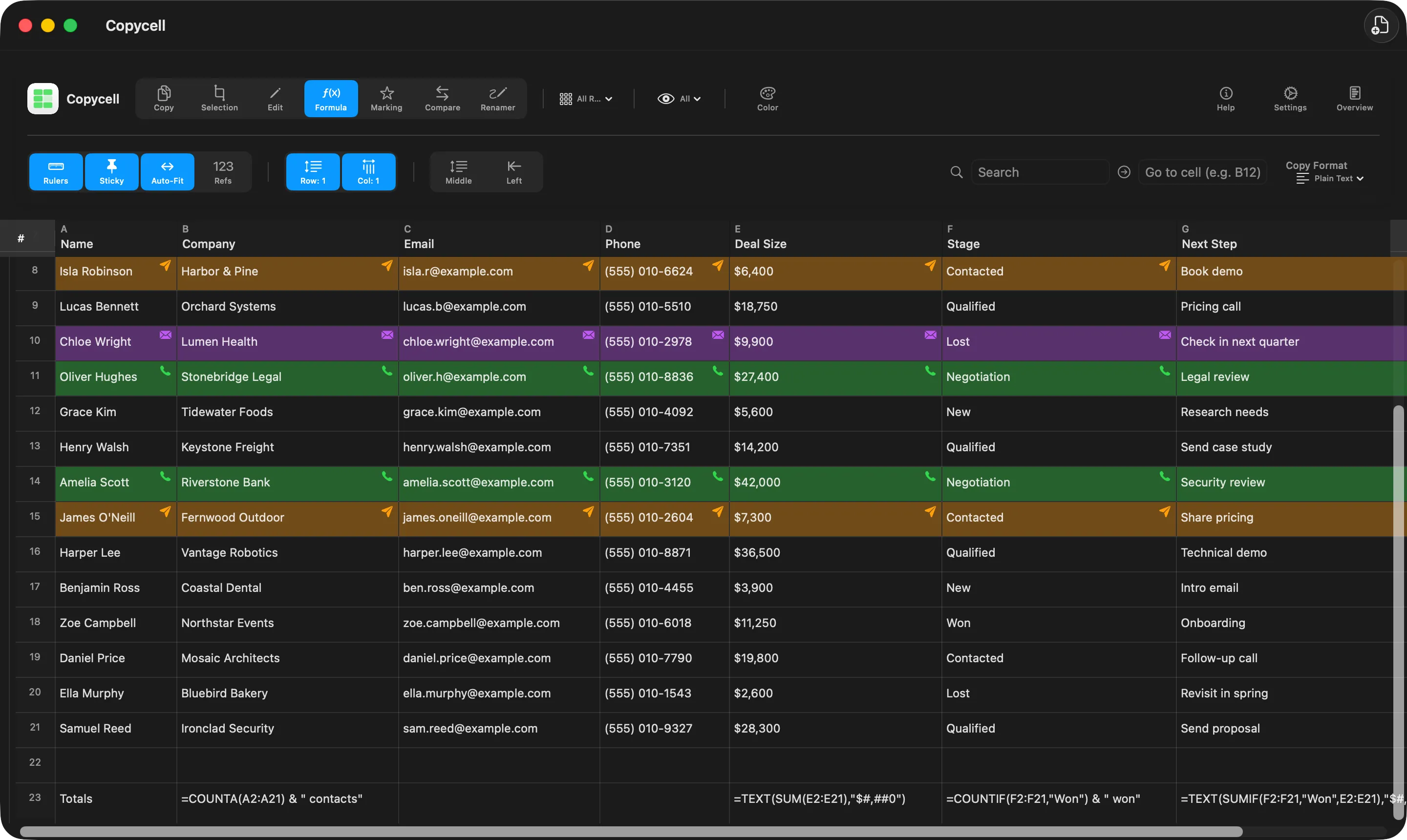
Formulas
Add up, count and look up values with over 100 familiar formulas, including SUM, COUNTIF and VLOOKUP. Results update as you type.
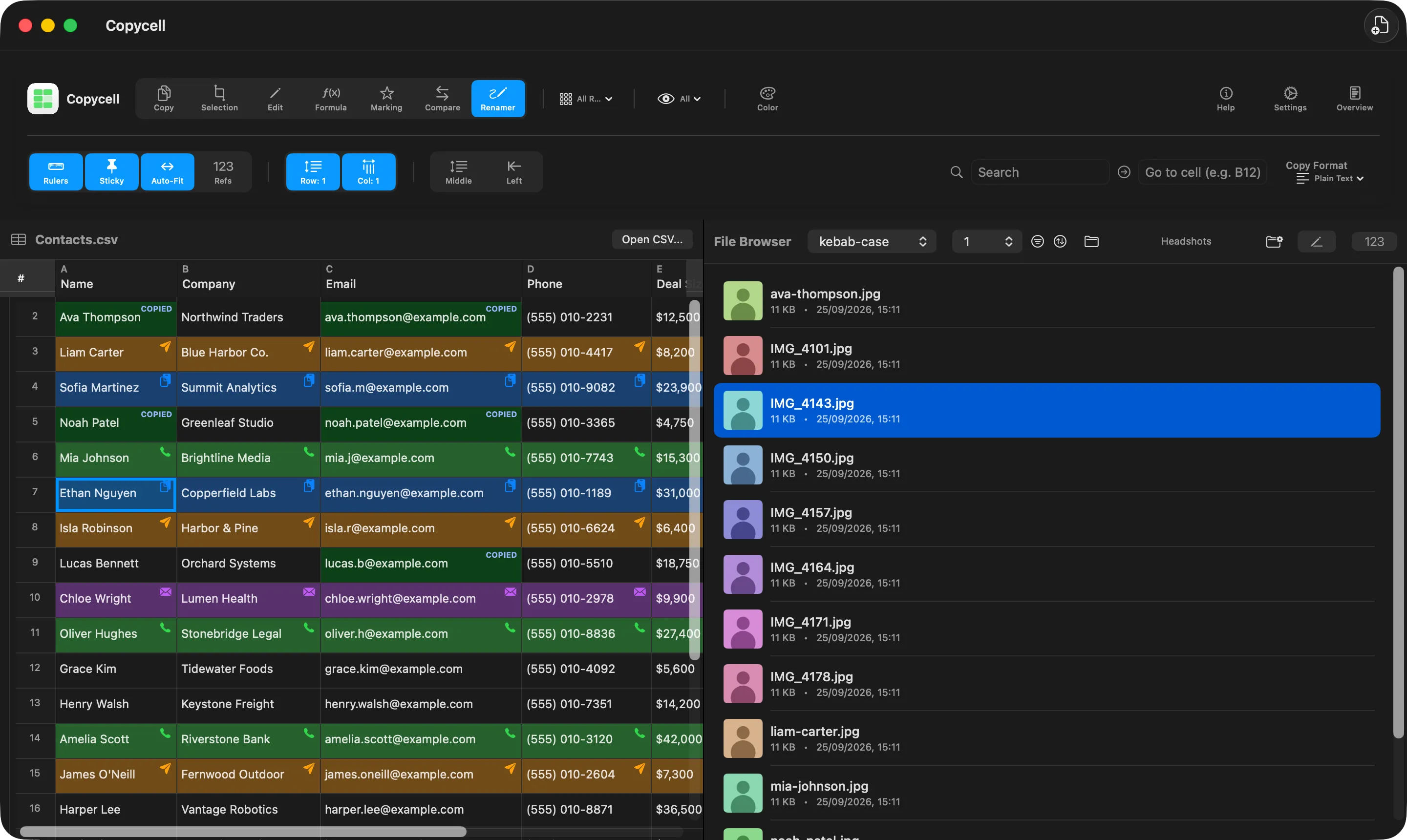
Renamer
Open a folder next to your data. Copy a name, pick a file, press Return and it’s renamed. Do a whole batch at once, add numbering, and undo anything.
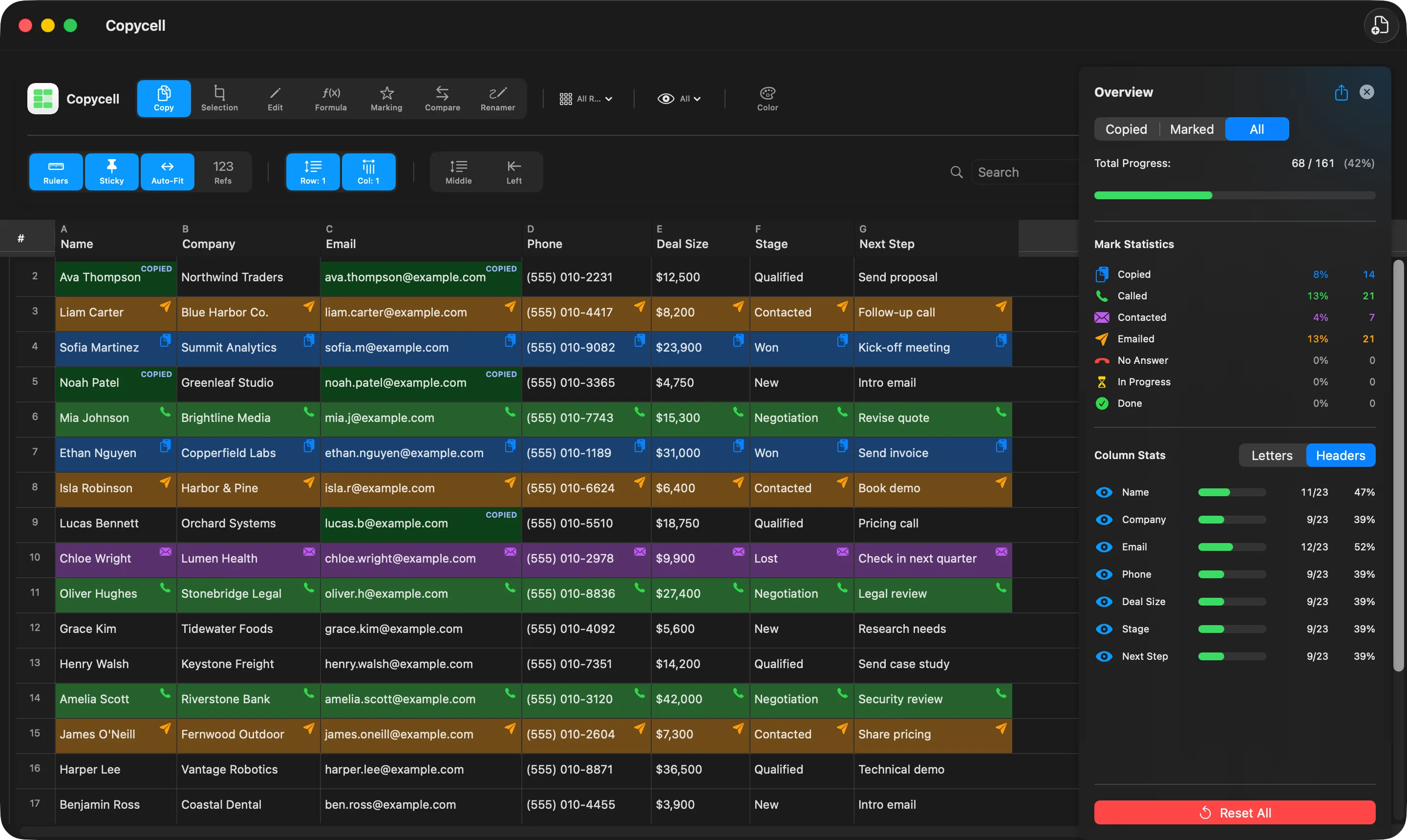
Overview
A live summary of how much of each column you’ve copied or marked. Save it as a PDF to share with your team.
And the rest
Your last 20 copies, one click away in the menu bar.
Find any text, or jump straight to a cell.
Plain text, CSV, Markdown, an HTML table or JSON.
Change any cell in place, and undo any change.
Comma, semicolon and tab-separated files all open.
Copied and marked cells are remembered.
The top row stays in view while you scroll.
Shortcuts for everything, and full labels for VoiceOver.
Private by design
No account, no tracking, no data collected. Copycell doesn't even use the internet. Your spreadsheets are yours alone.
Copycell for Mac.
Coming soon Requires macOS 15.7 or later